


Introducing Comfort Clipboard Pro
Comfort Clipboard Pro is a clipboard manager.
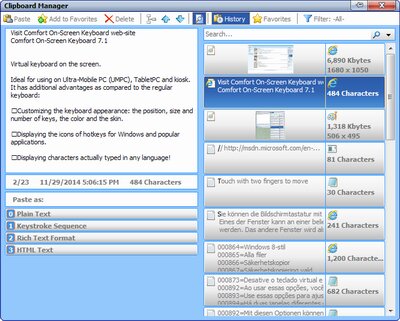
Comfort Clipboard Pro supports all known data formats. It keeps the clipboard history that you can use to paste the selected fragment again.
With Comfort Clipboard Pro, you will always be sure that data will be saved even in case of a power failure or a system crash.
Advanced features:
| • | Any number of saved fragments without slowing down the performance. 500 fragments are saved by default. |
| • | Quickly pasting text from the manager with a shortcut key. |
| • | Pasting a fragment in any available format because the copied information is saved in the clipboard in several formats at once. |
| • | Previewing saved fragments in a comfortable window. |
| • | Displaying additional information about saved fragments: |
| o | The icon of the fragment format the way it is defined in your system. |
| o | The icon of the application the fragment was copied to the clipboard from. |
| o | Brief additional information about each fragment according to its format. |
| o | Displaying the list of all available formats. |
| • | Customizing the appearance of the main window of the manager. |
The software is completely compatible with Microsoft Windows 11 / 10 / 8.1 / 8 / 7 / Vista / XP.