| ||||||||||||||||||||||||||||||||||||||||||||||||||||||||||||||||||||||||||||||||||||||||||||||||||||||||||||||||||
| Comfort Software :: Forums :: Features Discussion | |||
|
|||
Using Comfort Keyboard as a game pad for Windows 7 Tablets. |
| Author | Post |
| TLRtheory |
| ||
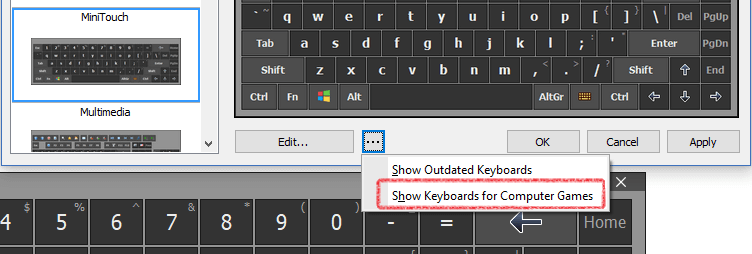
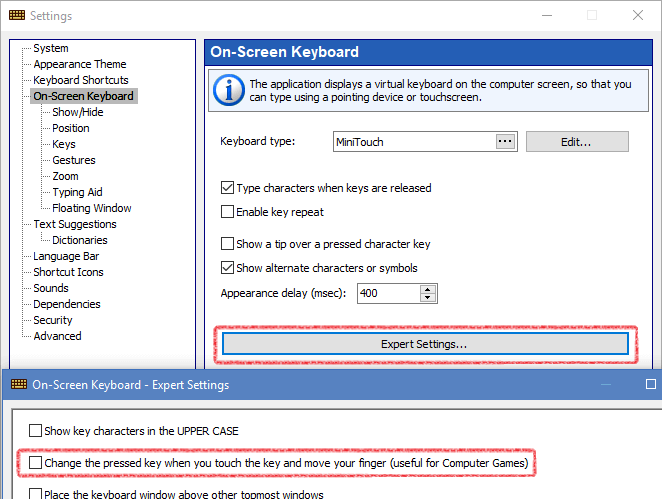
![]() Joined: Sun Jan 30 2011, 04:08pm Posts: 3 | Hello, I have imported a Windows 7 Tablet from a Hong Kong based website... and have been looking for options to create a universal gamepad to be used for virtual input gaming. To some extent, this has actually served very well! http://www.youtube.com/watch?v=2N7tdjMF9EQ However, a problem lies in the virtual d-pad. It does not allow me to drag from one arrow to another, so it creates an amount of complication because I have to remove my hand and peck a new arrow to go from one direction to another. Any chance of an update including a virtual d-pad meant specifically to use as game direction control? [ Edited Sat Feb 26 2011, 12:34pm ] | ||
| Back to top |
| Comfort |
| ||
![]() ![]() ![]() Joined: Wed Sep 19 2007, 03:42pm Posts: 617 | Please try version 4.3.7.0: http://www.comfort-software.com/beta/kb_setup.zip Have a nice day | ||
| Back to top |
| TLRtheory |
| ||
![]() Joined: Sun Jan 30 2011, 04:08pm Posts: 3 | Oh wow! That's exactly what I've been looking for! Thank you; thanks to this, Windows 7 just became better than the iPad for gaming! | ||
| Back to top |
| Johan_Els |
| ||
![]() Joined: Tue Apr 19 2011, 08:23am Posts: 1 | @TLRtheory - Would you consider sharing your layout file? Please? | ||
| Back to top |
| TLRtheory |
| ||
![]() Joined: Sun Jan 30 2011, 04:08pm Posts: 3 | Johan_Els wrote ... @TLRtheory - Would you consider sharing your layout file? Please? No problem! I will note that the layout file I'm sharing is not the one you saw in that video, I've been tweaking it to be more "universal" so that it works with all my games. http://www.youtube.com/watch?v=B_jkuCS_P-A It's got a much better design scheme now, and is infinitely more comfortable to use. Anyway, here's the file; I believe you can just save and toss this into your //Program Files/ComfortKeyboard/Keyboards/ folder, but let me know if it doesn't work out that way. http://xevon.awardspace.com/TouchGame2.txt | ||
| Back to top |
| Incognito |
| ||
![]() Joined: Sat Oct 01 2011, 03:46pm Posts: 2 | Hey guys, just wanted to let you know that I've been working on some skins for emulator gaming for the comfort keyboard. You can see them and download the files here: http://ep121.proboards.com/index.cgi?board=general&action=display&thread=113&page=2 cheers! | ||
| Back to top |
| Incognito |
| ||
![]() Joined: Sat Oct 01 2011, 03:46pm Posts: 2 | Here's a video of the skins in action: http://www.youtube.com/watch?v=s9VHNTnJiKA | ||
| Back to top |
| Comfort |
| ||
![]() ![]() ![]() Joined: Wed Sep 19 2007, 03:42pm Posts: 617 | Super! ![]() Have a nice day | ||
| Back to top |
| Infamous |
| ||
![]() Joined: Fri Apr 20 2012, 11:28pm Posts: 2 | Hey, can we get more keys that you can slide to, like what the original poster was originally requesting. I know only the arrow keys can do it right now, but Would be nice if we could get numberpad 0-9 to do it also. This way we can make our own joysticks. Please add this!! | ||
| Back to top |
| Infamous |
| ||
![]() Joined: Fri Apr 20 2012, 11:28pm Posts: 2 | still would like this to be added | ||
| Back to top |
| Moderators: Comfort |